Claude Has Levels. Most People Stop at Two.
An Anthropic engineer said the quiet part recently: internally, they have stopped prompting agents and started engineering the systems around them. That sentence is a ladder, and most Claude users are standing on its bottom rung. There are, by my count, nine levels between typing into a chat box and running a fleet of agents that ship pull requests while you sleep, and each level hands one more piece of the loop to the machine. This essay climbs all nine, with the exact commands, file paths, and configuration at each rung, verified against the official docs, plus the practices at each level that almost nobody uses.
The ladder, first
Every level below is the same trade: you give up direct control of one part of the loop, and in exchange that part stops costing you attention. Prompting hands over the typing. Memory hands over the re-explaining. Skills hand over the repeating. Hooks hand over the checking. Worktrees hand over the waiting. The fleet hands over the being-there. Click through the rungs; the leverage bar is the fraction of the loop that runs without you.
Click a rung. Each panel: what you actually do there, what persists between sessions, and what compounds.
Mechanics per level from the official docs at code.claude.com; each is expanded in its own section below.
Level 1 · The Claude app
Everyone starts here: claude.ai or the desktop app, a text box, a question. Look at that box before dismissing it, because Anthropic has quietly moved half the ladder into it. The Chat / Cowork toggle sits right in the composer: Cowork points the same agentic loop that powers Claude Code at your files, folders, and documents, no terminal involved. Next to it, a model picker with effort control, file attachments, voice. In settings, connectors: MCP servers wired into the app with a click, the same protocol you will meet properly at level 3, and the desktop app runs local ones as extensions. There is even a Code tab driving real cloud coding sessions from the browser. So level 1 is not a toy; it is the whole system with the engineering hidden.
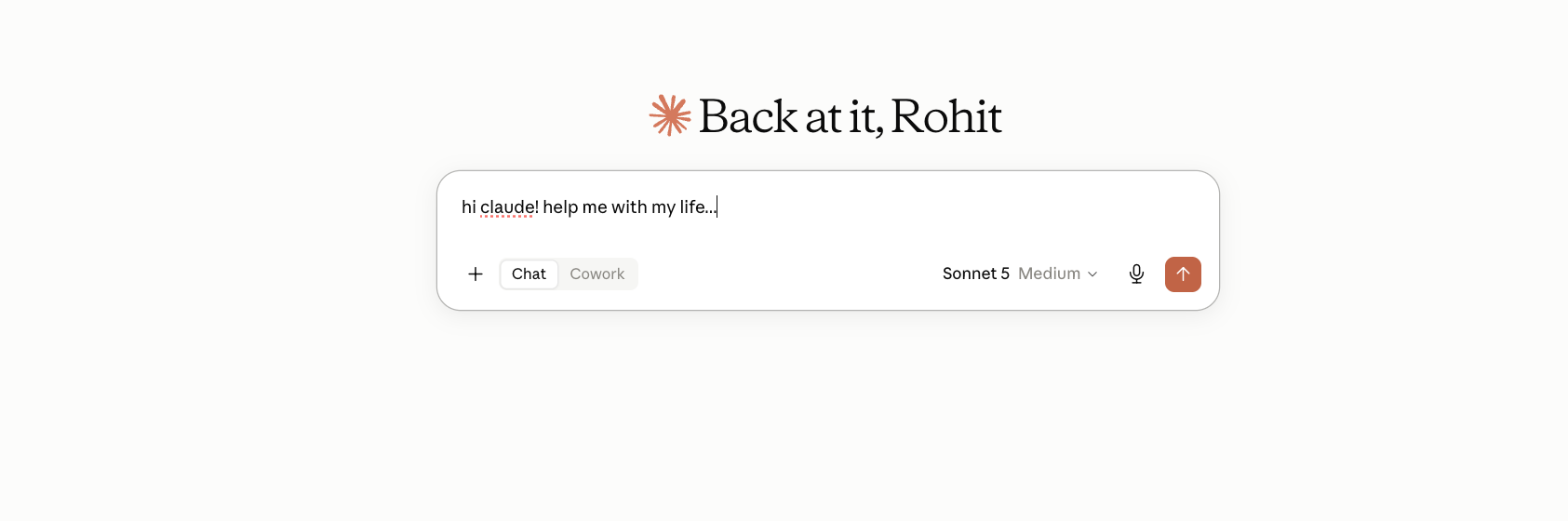
The claude.ai prompt box, captured from my own account in August 2026: Chat / Cowork toggle, model and effort picker, attach, voice. Half the ladder is already in this box; the rest of this essay is about owning what it hides.
What keeps it level 1 is not missing features. It is that nothing you learn here becomes configuration you own. The connectors live in Anthropic's UI, the memory lives in the app, and none of it is versioned, shared with your team, or scriptable. Every rung that follows converts one piece of this hidden machinery into files in your repository.
Level 2 · The terminal
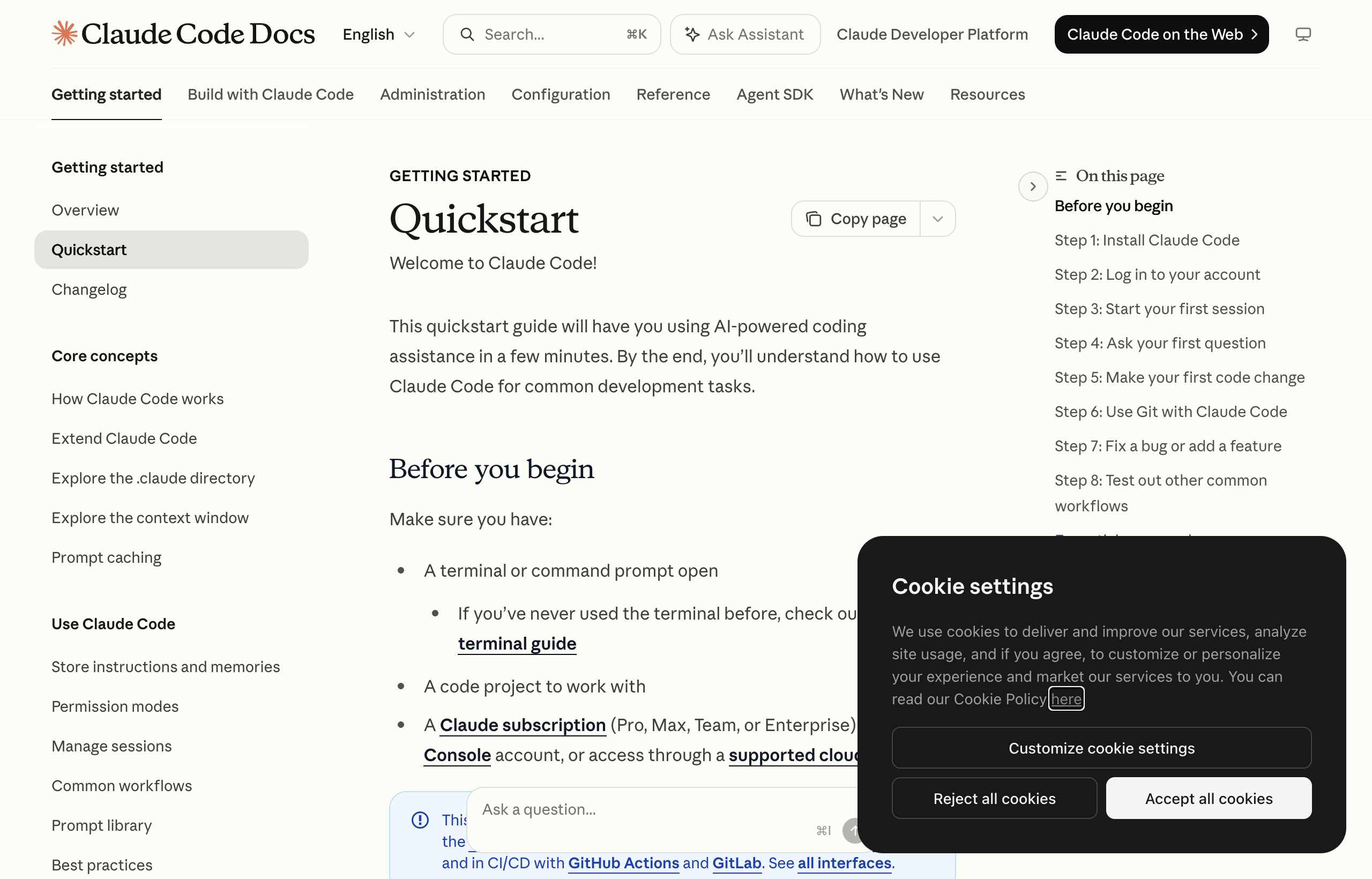
The official quickstart at code.claude.com/docs, captured August 2026. The whole ladder above this level is documented here; almost nobody reads past the install command.
One install command (curl -fsSL https://claude.ai/install.sh | bash), then claude inside a real repository, and the machine changes species: it reads your codebase, edits files, runs your tests, and drives git. Two level-2 features most users never touch. First, checkpoints: Claude Code snapshots your files before every prompt, and double-Escape (or /rewind) walks you back through them, restoring code, conversation, or both. The trap worth knowing: checkpoints track file-tool edits, not bash, so an rm in a shell command is not rewindable. Second, permission modes (Shift+Tab cycles them): plan mode makes Claude read-only while it proposes, acceptEdits auto-approves file changes while still gating commands. Most people live in the default ask-everything mode and pay for it in interruptions, or jump straight to bypass and pay for it in surprises. The modes in between are the tool.
Level 3 · Connectors, which is to say MCP
The moment Claude needs to see your GitHub issues, your database, or your browser, you are at level 3, and the mechanism is the Model Context Protocol. claude mcp add wires a server interactively; .mcp.json in the repo makes the wiring versioned and shared with your team. The detail that matters and goes unread: servers attach at three scopes, user (all your projects), project (this repo, committed), local (this machine only), and choosing wrong is why your teammate's session cannot see the server you added. The other detail is economic: tool definitions are deferred by default. Only tool names load at session start; full schemas load on demand, so a connected server typically costs a few hundred tokens until the moment a tool is actually used. Level 3 used to be where context bloat began. The deferral machinery quietly fixed that, and almost nobody noticed.
Level 4 · Memory as an engineered thing
CLAUDE.md is where most users' sophistication ends: one file, growing forever, loaded whole into every session. Level 4 is treating memory as an engineered surface with a budget, the same discipline as an AGENTS.md, because it is the same problem. The machinery, from the docs: @file imports (recursive, four hops) split the file without duplicating it; path-scoped rules in .claude/rules/*.md with a paths: frontmatter load only when Claude touches matching files, which is the real lazy-loading, imports are not; CLAUDE.local.md holds what should never be committed; and auto memory gives Claude its own notebook at ~/.claude/projects/<project>/memory/, of which only MEMORY.md's first 200 lines (or 25KB) load at startup, with topic files read on demand. Run /context and look at what is actually resident. That number is a tax on every single request, and the whole craft of level 4 is making it small while making it count.
Two engineers, same project. Left: everything crammed into CLAUDE.md. Right: the same knowledge, engineered across the lazy surfaces. Solid boxes are resident on every request; dashed load only when needed.
Sizes are representative; the caps are real: MEMORY.md loads at most 200 lines / 25KB, MCP schemas defer until use, skill bodies load on invocation, path-scoped rules load on file match. Mechanics per code.claude.com/docs/en/memory.
Level 5 · Skills, or the end of repeating yourself
The first time you paste the same instructions into a third session, you have found level 5. A skill is a folder with a SKILL.md: frontmatter (a description the model matches against, plus switches like user-invocable and disable-model-invocation) and a body of instructions that loads only when invoked, by you as /skill-name or by Claude itself when the description matches the task. That load-on-demand property is the entire point: a hundred skills cost almost nothing until one fires. The level-5 practice nobody does is closing the loop: at the end of a session where you corrected Claude twice, ask it to write the skill that would have made both corrections unnecessary. The vendors themselves bless this pattern, and it is the difference between a skill library that grows from real scars and a folder of aspirational documents. It is also precisely the practice that turns sessions from expenses into investments.
Each cycle: work, retrospect, extract a skill. Watch what happens to the instructions you repeat by hand versus the ones the system carries.
Counts are illustrative; the loop is the documented practice: session, retrospective, skill extraction, next session cheaper. Skills load on demand, so the library costs ~nothing until used.
Level 6 · Plugins, or packaging your practice
A plugin is the shipping container: one directory with a .claude-plugin/plugin.json manifest that can carry skills, subagents, hooks, and MCP servers together, installable by anyone with /plugin marketplace add and /plugin install. This is the level where personal practice becomes team practice, and then public practice. claude plugin init scaffolds one; claude --plugin-dir ./my-plugin tests it without installing; /reload-plugins picks up edits without restarting. The namespacing detail that bites people: plugin skills invoke as /plugin-name:skill, standalone skills as /skill, and a personal skill with the same name silently wins. I maintain one of these myself, pro-workflow, which packages the workflow patterns in this essay's spirit as hooks, agents, and commands, so this level is one I can vouch for from the publishing side: the manifest is the easy part, and the discipline of versioning behavior you previously improvised is the actual work.
Level 7 · Hooks, or determinism around the model
Everything below this level asks the model to remember to do things. Level 7 stops asking. A hook is a shell command wired to a lifecycle event in settings.json: PostToolUse matching Write|Edit that runs your linter after every file change, PreToolUse matching Bash that inspects commands before they run, SessionStart that injects state, plus commit, push, and even WorktreeCreate events. Hooks receive the event as JSON on stdin and fire deterministically, no model judgment involved, which is exactly their value: the linter runs every time, not the times Claude remembered. This is the engineering-the-system-around-the-agent move in its purest form, and combined with permission modes and output styles it is how a session stops being a conversation and starts being a governed process. The debugging detail worth keeping: /hooks shows what is wired, and claude --debug logs every match decision.
Level 8 · Parallelism: worktrees, subagents, teams
One session is serial. Your backlog is not. Level 8 is the largest single jump in throughput on the ladder, and it has two mechanisms that compose. Worktrees give each session its own working directory sharing one .git: claude --worktree feature-auth creates it, isolation is enforced (a worktree session is blocked from editing the main checkout), .worktreeinclude copies your gitignored env files in, and the flag almost nobody knows: claude --worktree "#1234" checks out GitHub PR 1234 into a fresh worktree by itself. Subagents are markdown files in .claude/agents/, each with its own tools, model, and context, spawned inside a session; give one isolation: worktree in its frontmatter and it works in its own copy of the repo, auto-cleaned if it changes nothing. The community patterns here are ahead of the docs: orchestrator sessions running a cheap-model swarm of workers, six checkouts under one delegating skill, agents reviewing each other's diffs. That topology looks like this.
A real level-8 shape: you brief an orchestrator; it delegates to workers in isolated worktrees while a cloud session handles the long-running task. Sessions appear in the order they spawn.
Mechanisms: --worktree sessions, subagents with isolation: worktree, agent teams (experimental flag), and --cloud sessions. The orchestrator-plus-workers shape is the dominant community pattern for parallel Claude Code.
Level 9 · The fleet: cloud, Cowork, managed agents
The last rung removes your machine, and then removes your presence. Cloud sessions: claude --cloud "fix the auth bug" starts the work on an Anthropic-managed VM and returns your terminal; claude --teleport pulls a cloud session down into your terminal later, and the same sessions are drivable from claude.ai/code in a browser. The bridge details worth knowing: CCR_FORCE_BUNDLE=1 uploads a local repo without GitHub, and the GitHub app can auto-fix pull requests, webhooks watch your PR for CI failures and review comments and push fixes without being asked. Routines schedule cloud runs. Claude Tag puts the same machinery behind an @Claude mention in Slack for whole organizations. Cowork points the agentic loop at documents and files beyond code. And at the far edge sit Managed Agents on the API: server-hosted, stateful agents with Anthropic-run sandboxes, defined once and invoked as sessions, which is no longer "using Claude Code" so much as operating a workforce built from the same parts. The through-line from level 1 is worth saying plainly: it is the same model the whole way up. Every rung is harness, not intelligence.
The same task, four levels apart
Abstractions aside, here is what the ladder buys. Take one real task, "find and fix the flaky test that breaks CI once a week," and run it at four different levels. Red cells are steps you perform; blue is Claude working while you watch or answer; green is machinery running without you.
Step counts are representative of the mechanics at each level, not a benchmark: the point is which color absorbs the work as you climb.
What nobody talks about yet
The census above is documented. These parts mostly are not, and they are where the next year of practice lives.
- The bill arrives at level 8. Parallelism multiplies cost exactly as fast as it multiplies throughput. Reports this quarter of large engineering organizations blowing through annual AI budgets mid-year, and of internal access being pulled back over cost, are directionally credible even where details are secondhand: you budget for a chatbot, then deploy agents, and agents do not idle. The counterweights live inside the tool: per-model subagent routing (cheap models for mechanical work),
/usagediscipline, and hooks that stop retry loops early. Nobody writes about cost topology; everyone will. - Checkpoints stop at the shell. Rewind restores what file tools changed, not what bash did. At level 7 and up, where hooks and scripts do more of the work, the safety net silently narrows. The fix is boring and works: destructive operations behind a hook that snapshots first.
- Memory fragmentation is coming. CLAUDE.md, auto memory, rules files, skills, plugin instructions, org policy settings: the load order is documented, but the interactions are not in anyone's head. The
/contextcommand is the only truthful map, and reading it regularly is a practice that separates level-4 users from people who think they are. - The retro-to-skill loop should be automatic. Today, extracting a skill from a session's corrections is a habit. There is no reason it stays manual: a SessionEnd hook can already ask a subagent to draft the skill and open it for review. The self-improving setup is assemblable now from documented parts, and nearly nobody has assembled it.
- Fleet observability does not exist. Five parallel sessions have five transcripts and no shared dashboard. The first good answer to "what did my agents do today, and what did it cost" is an open niche, and whoever fills it defines how teams adopt level 9.
The ladder's punchline is the Anthropic engineer's line from the top, read in reverse. If you are still prompting, you are doing the system's job by hand. Every level of this essay is one piece of that job you can hand over this week, with the file paths to do it. The mechanics underneath, how the harness assembles context, why cache-friendly prefixes matter, what the loop actually sends, are in Inside the Claude Code Harness; the discipline of the instruction files is in the AGENTS.md practices essay. Climb one rung at a time, and let each one pay for the next.
Keep reading